

Status badges
Every schedule shows one of five statuses:
Needs reconnection and Auto-paused are the two statuses worth understanding before you see them, because they’re what a stopped automation looks like from the outside. If a report you rely on suddenly stops arriving, one of these two is almost always why:
- Needs reconnection means a tool the schedule depends on — a Slack connection, a CRM, a shared inbox — had its authorization expire. The schedule can’t run until that connection is restored. Ask Violet to reconnect it, and the schedule picks back up on its next scheduled run.
- Auto-paused means the schedule tried and failed repeatedly, so Appy stopped retrying rather than fail silently forever. Check the run history in the schedule’s detail view to see what went wrong, then ask Violet to resume it once the underlying issue is fixed.
List view
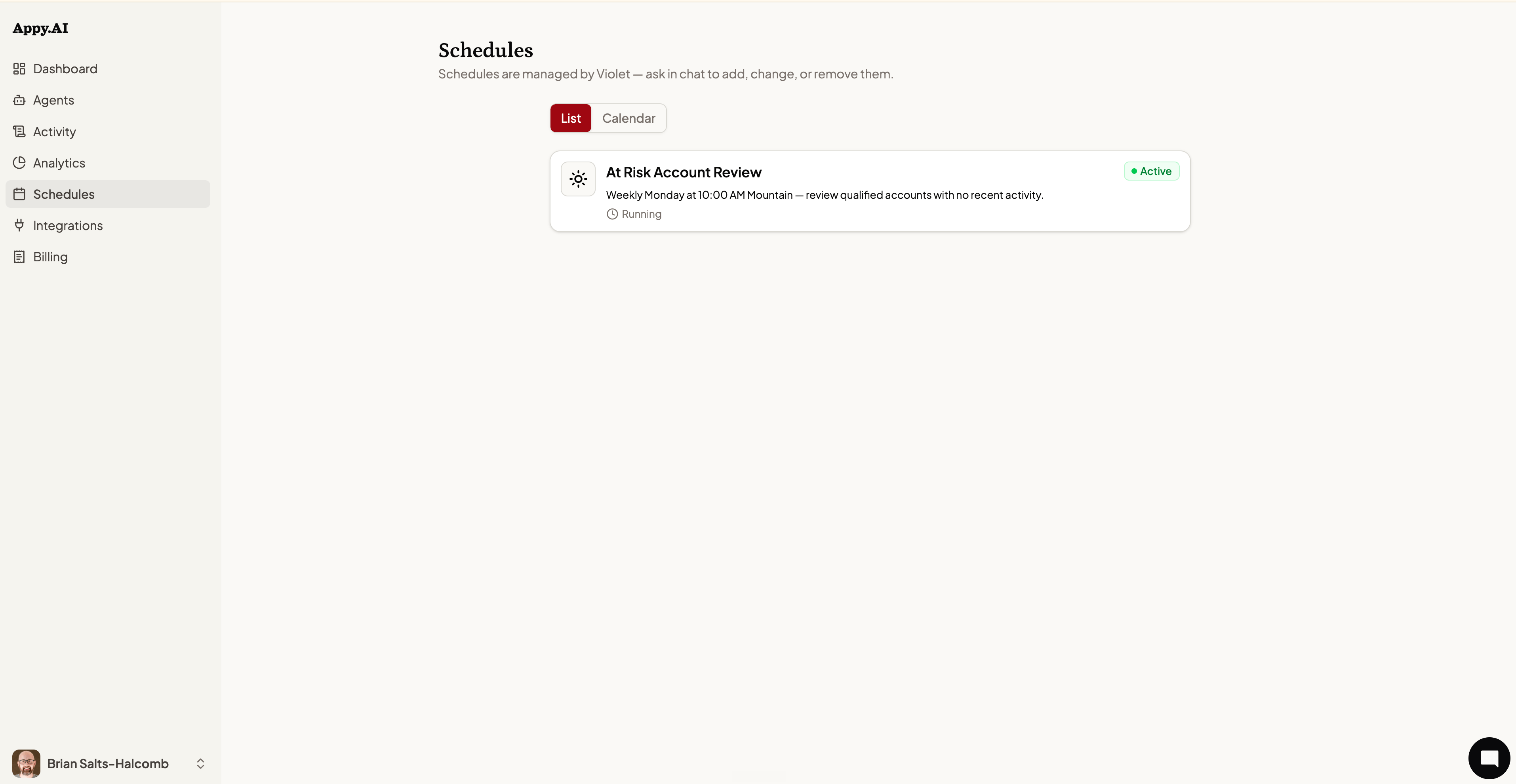
- Task name — What the agent is asked to do when the schedule fires.
- Recurrence — How often it runs (e.g., “Weekly Monday at 10:00 AM Mountain”).
- Description — A plain-language summary of the task.
- Status — One of the five badges above.
- Last run — Status and relative time of the most recent run.
Calendar view
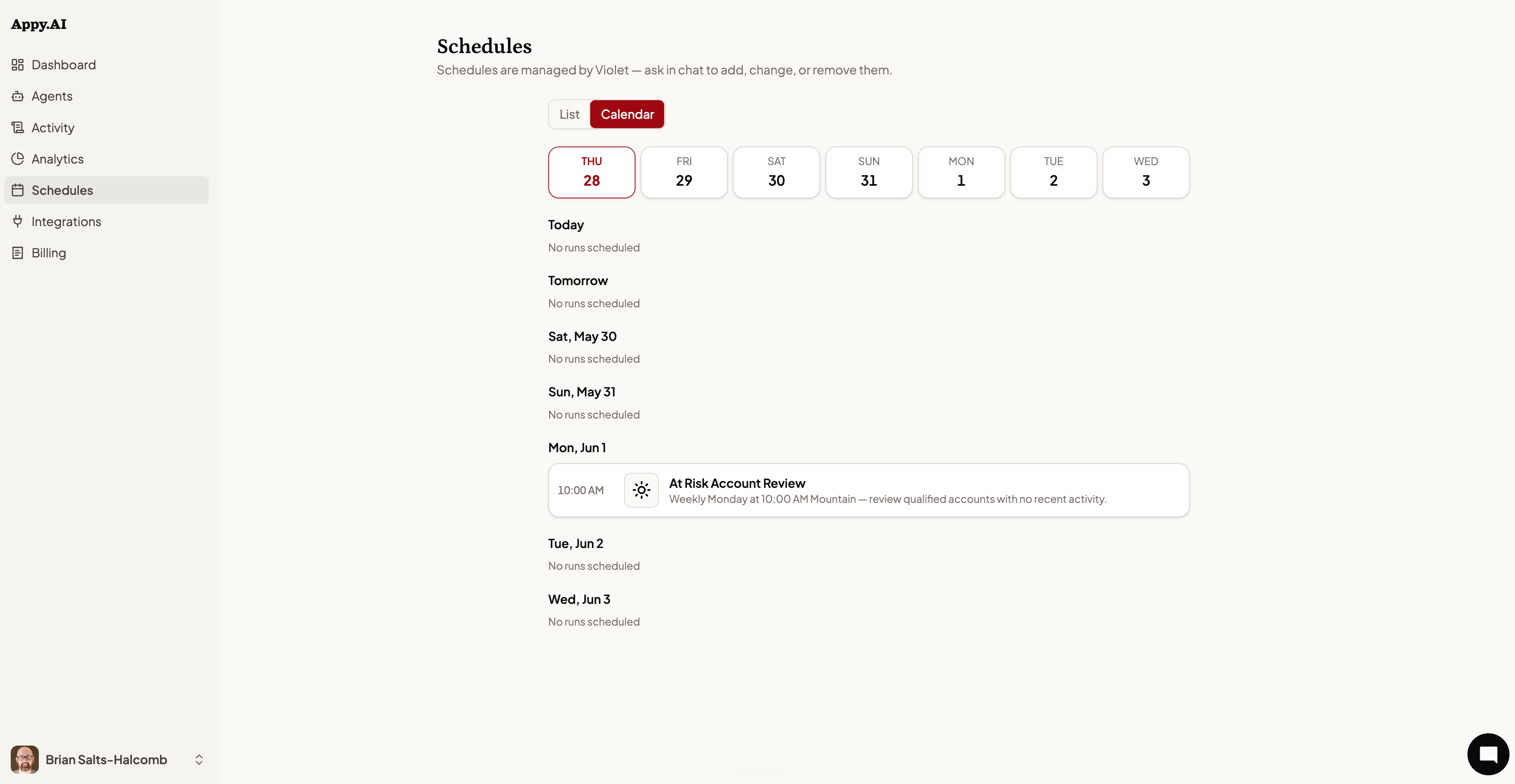
Schedule detail view
Click any schedule to open its detail view:- Next run — When the schedule is due to fire next.
- Past 7 days — How many times it’s run in the last week, and the success rate across those runs.
- Delivers to — Where results land (a Slack DM or channel, Teams, or “Show in app” if there’s no chat delivery configured).
- Schedule — The cadence in plain language, like “Every weekday at 9:00 AM MDT.”
- Run history — Every recent run, with its duration and, for any failed run, the error message that explains what went wrong.
Creating or modifying a schedule
Tell Violet in chat what you want to automate and when:- “Send me a competitive intelligence update every Monday at 9 AM”
- “Run the at-risk account review every week on Monday morning”
- “Send a daily summary of new leads every weekday at 8 AM”
- “Cancel the weekly competitive update”
- “Change the Monday report to run on Fridays instead”
- “Pause the daily leads summary for the next two weeks”