

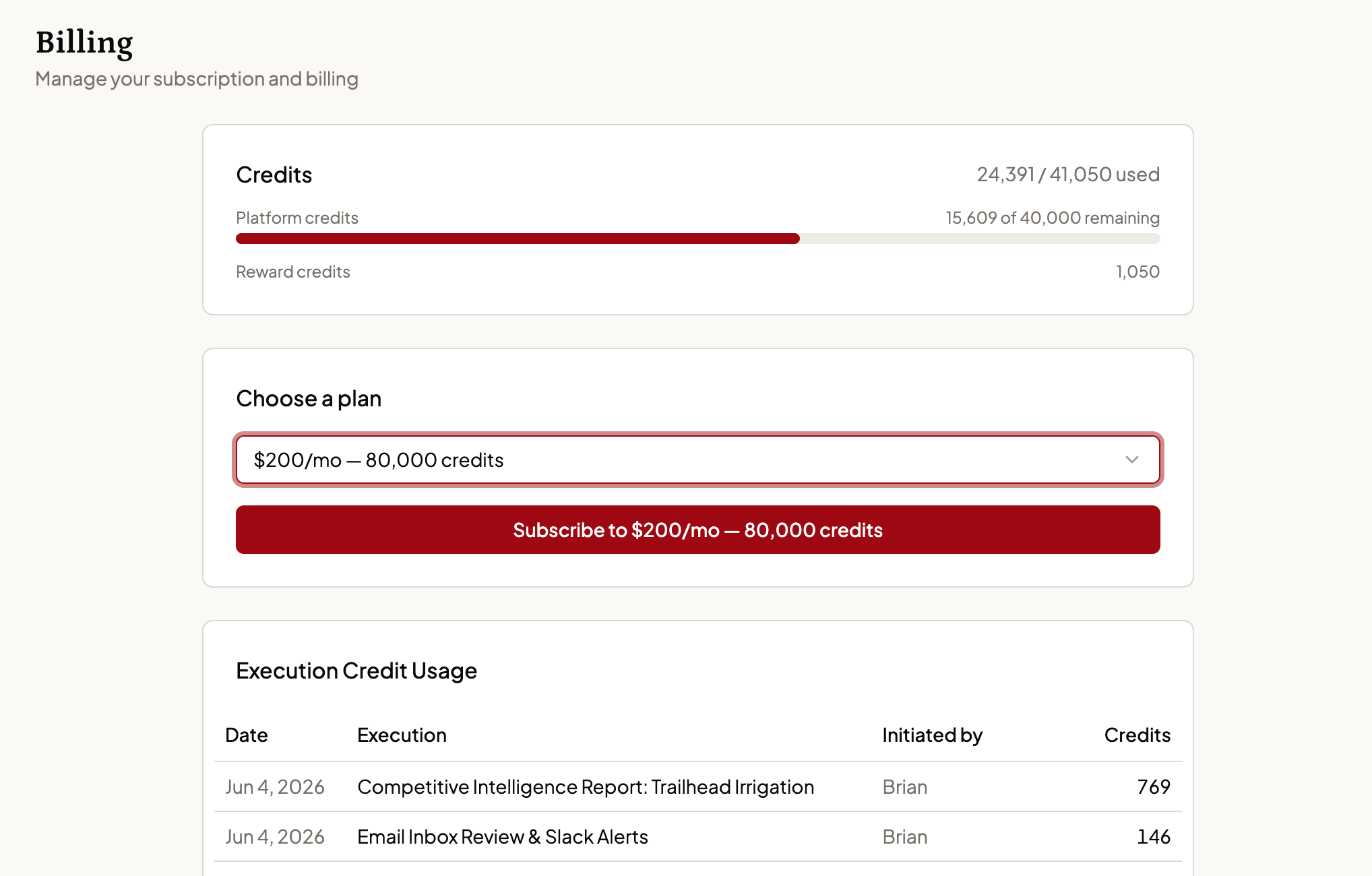
Usage and plan management
The Billing page shows:- Your plan and credit balance — Current tier, credits remaining, and a Reward credits line for any bonus credits you’ve earned separately from your plan allowance.
- Execution credit usage table — A per-execution breakdown of credit consumption: who initiated it, what the activity was, which channel it came through, and how many credits it used. Filter by time period (last 24 hours, 7 days, 30 days, 90 days, or all time) and search across entries.
Switching plans
Changing plans takes effect immediately: you’re charged the new plan’s price right away, and you receive its full credit allocation the same moment — not a prorated amount. Your monthly billing cycle restarts on the date you switch, so that date becomes your new anniversary. Because the cycle restarts immediately, you don’t lose the credits you’ve already used this month, and you don’t wait for your old cycle to end to get the new plan’s allowance — it’s available as soon as you confirm the change.Selecting a plan
If you haven’t subscribed yet, choose your monthly cost and credit allocation and proceed through a secure Stripe checkout to purchase.Managing your subscription
Once your payment method is on file, the Billing page lets you upgrade, manage your subscription, and cancel.Canceling your subscription
Click Manage Subscription and follow the cancellation steps. Your access continues through the end of the current billing period. There are no cancellation fees.Past-due payments
If a payment fails, you’ll see a banner here: “Payment failed — your subscription is past due.” Update your payment method to restore access — agent interactions pause until it’s resolved.Questions about your invoice or current usage? Reach out via the Support chat on your Dashboard or email [email protected].