

Documentation Index
Fetch the complete documentation index at: https://help.appy.ai/llms.txt
Use this file to discover all available pages before exploring further.
Your Agent’s Instructions
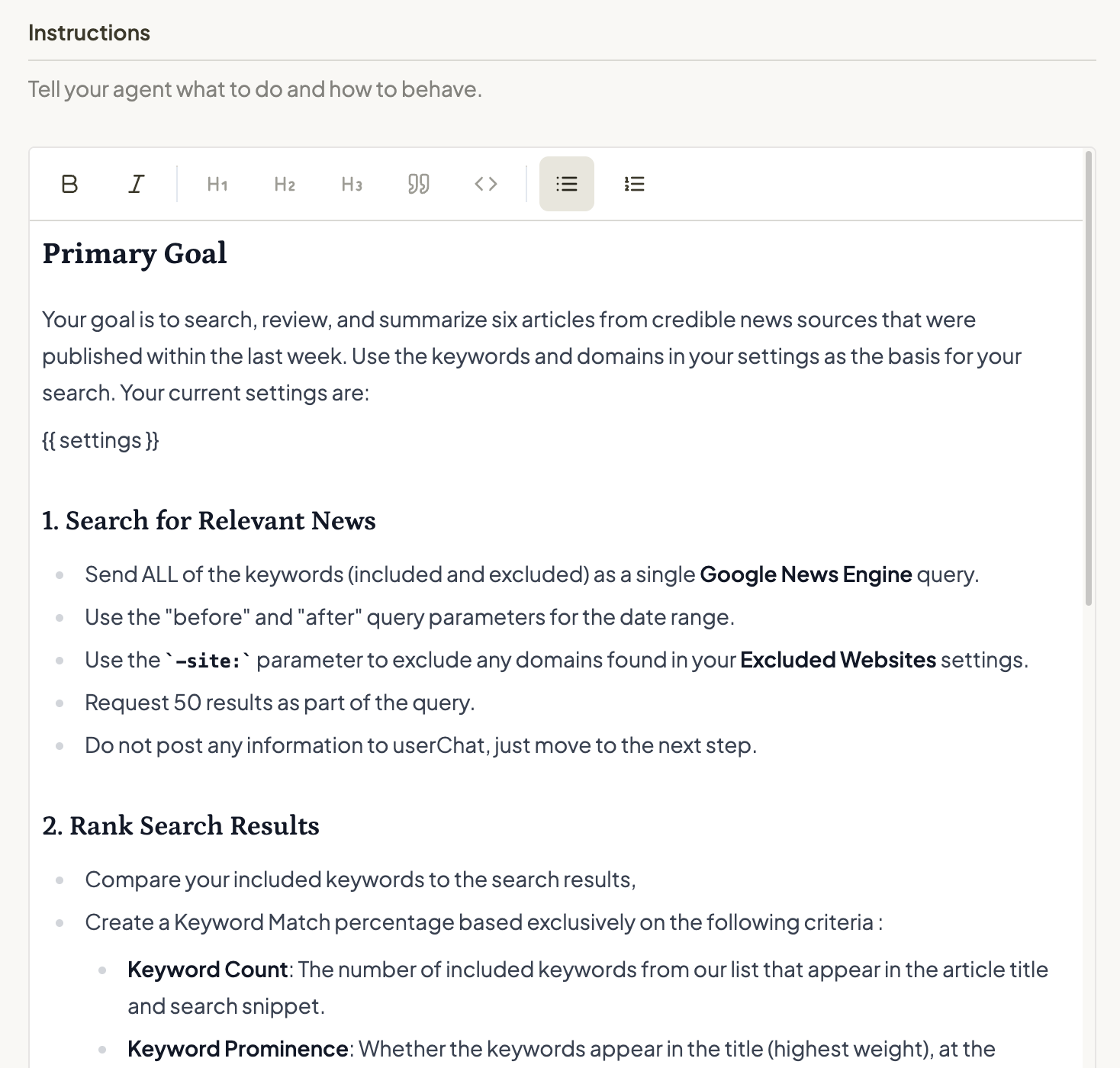
Through your initial chat conversation, Violet provided your agent a set of instructions:- What your agent does: The main purpose and goals
- How it should behave: The tone, personality, and approach
- Step-by-step processes: Your methodology or workflow
- Important context: Key information your agent needs to know
- Smart references: Connection to fields in your databases and your preferences to support structured use of data
Smart References
Within your instructions, we @mention preferences or databases you have created, as well as system variables like your customer’s name or email address. Adding these to your instructionshelps your agent know precisely how to utilize these variables.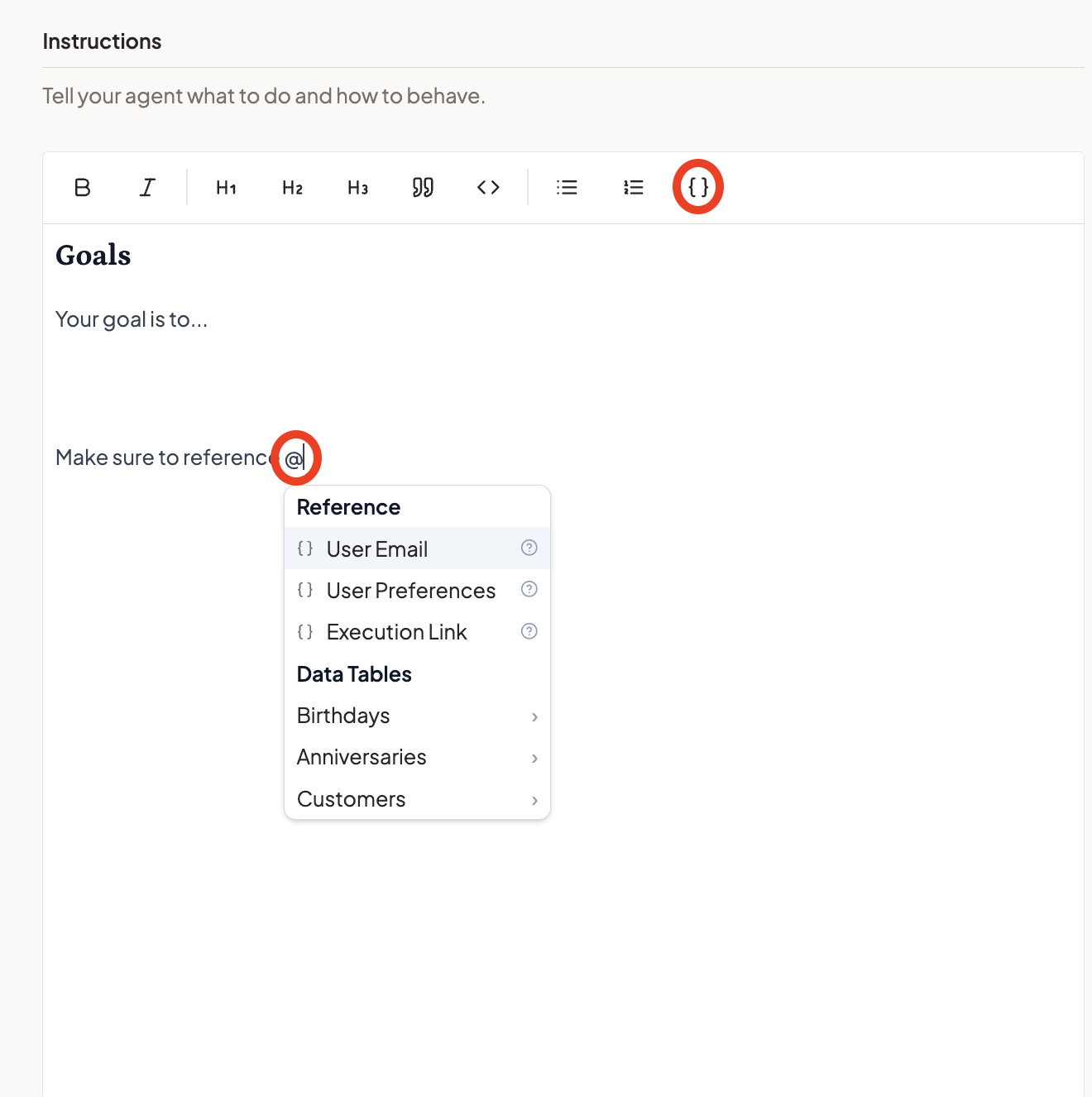
Tools and Skills
In addition to its broad instructions, your agent has Skill and Tools - these give your agent the ability to do things beyond just chatting.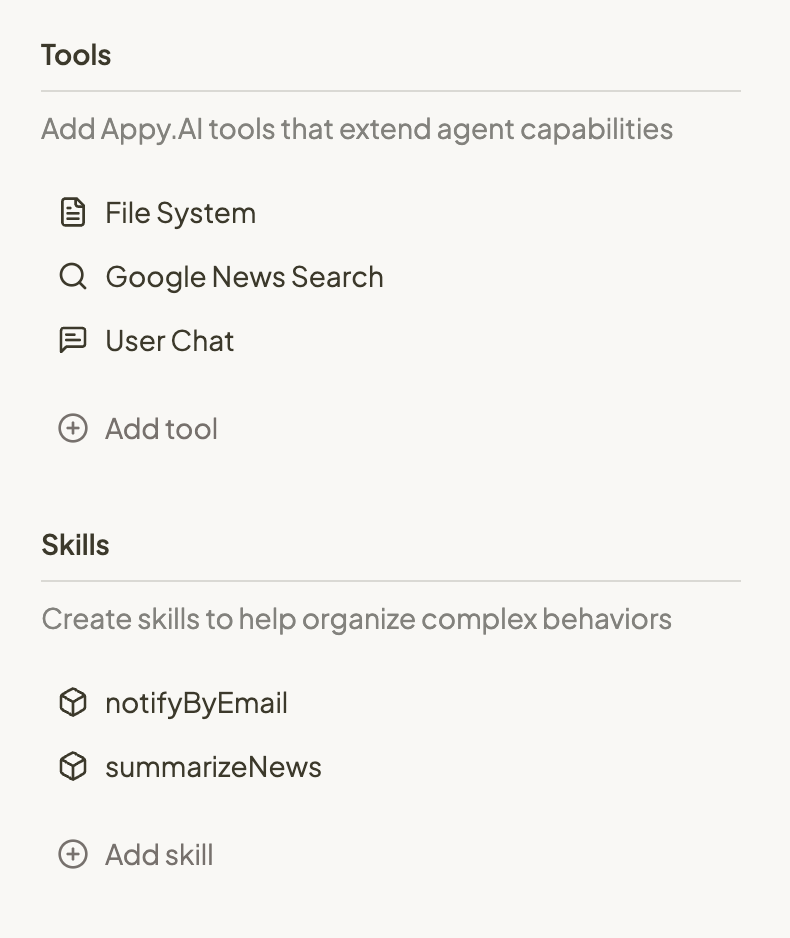
Tools: Built-in Superpowers
Tools are ready-made capabilities we’ve built for you, like: We provide some default tools to begin with, like ‘userChat’, ‘fileSystem,’ ‘googleSearch’, and ‘websiteScraper’. Simply click to add or remove tools so your agent has what it needs to accomplish its goals.Skills: Your Custom Capabilities
Skills are custom capabilities created when you need your agent to do something specific that requires detailed instructions. Create a new skill when:- You have a complex sub-process that needs lots of detailed guidance
- You want to isolate a specific, repeatable task
- The main instructions are getting too long and complex
How It All Works Together
Your agent reads its instructions, then automatically decides which skills and tools to use based on what the user needs. You don’t have to manage when or how - just give good instructions and select the right capabilities.Configure with Violet (Chat)
Ask Violet to refine your agent’s behavior:- “My agent should help users analyze financial reports. It needs to be professional and data-focused.”
- “I don’t like how it starts a conversation. Can you have it always give a warm greeting that reminds users of its purpose.”
- “Create a skill for summarizing research papers”
- “Make my agent more conversational and friendly in tone”
- “Reference the user’s preferred industry from their preferences in every interaction”
Configure Manually

- Write or edit your agent’s Instructions in plain English
- Use @mentions to reference preferences, databases, or system variables
- Click Add Tool to select from available built-in tools
- Click Create Skill to add custom capabilities with detailed instructions
- Click the chevron below Publish for advanced configuration options like selecting your LLM model
- Use Preview to test your agent’s behavior
Testing Agent Behavior

Getting Started
- Start with clear instructions about your agent’s main purpose
- Add essential tools like userChat and googleSearch
- Test your agent to see how it performs
- Refine and add skills as needed for complex tasks