> ## Documentation Index
> Fetch the complete documentation index at: https://help.appy.ai/llms.txt
> Use this file to discover all available pages before exploring further.
# Dashboard
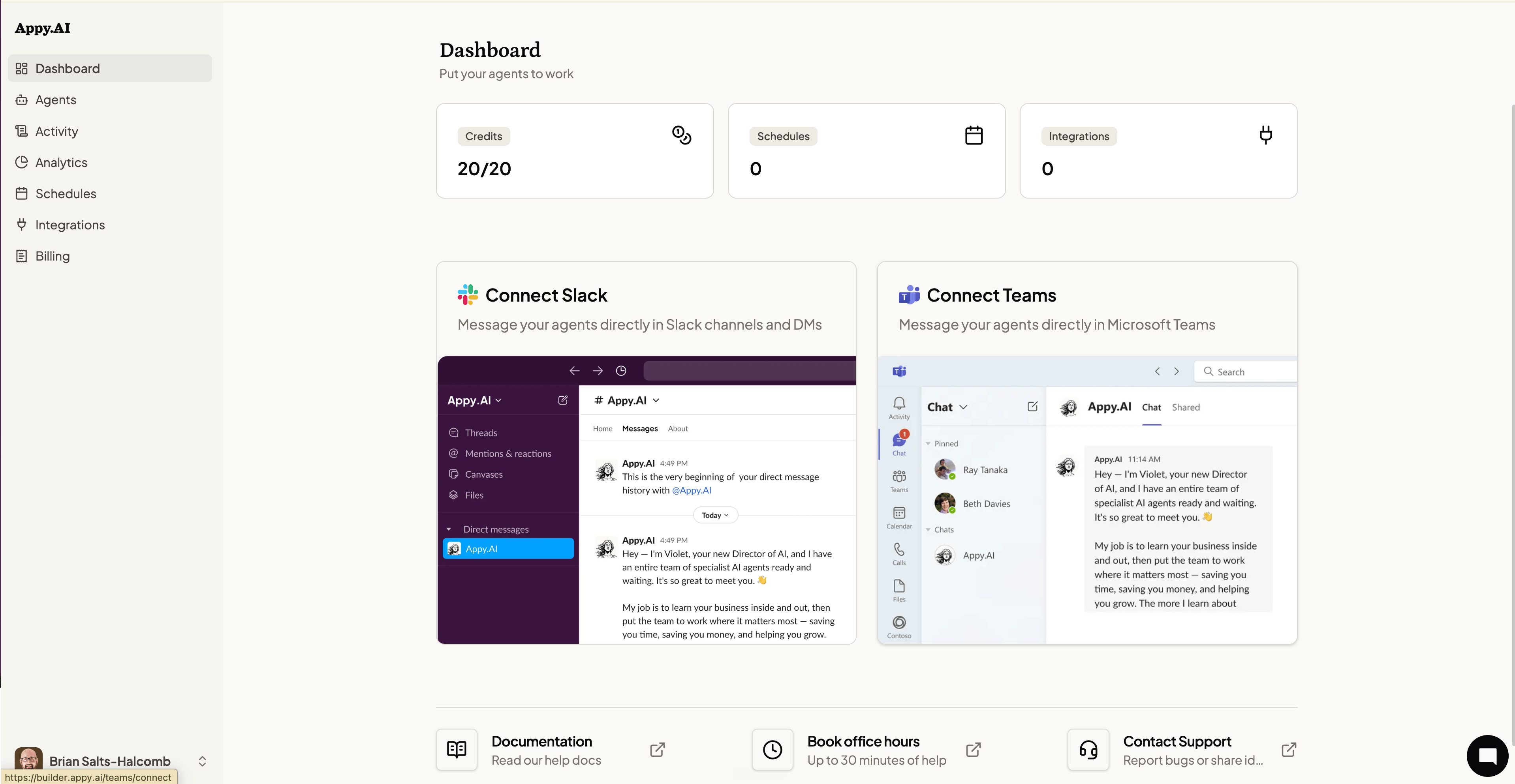
The Dashboard is you home on the Appy.AI web platform. It gives you an at-a-glance read on your account status and surfaces the fastest paths to getting your agents to work.
 ## At a glance
Three summary tiles sit at the top of the Dashboard:
* **Credits** — How many task credits you've used vs. your total. Credits refresh on your billing cycle.
* **Schedules** — The number of active scheduled tasks your agents are running automatically.
* **Integrations** — How many third-party tools your agents are connected to.
## Connect your communication channels
If you haven't set up Slack or Microsoft Teams yet, the Dashboard walks you through it. Your agents live in chat — connecting a channel is what lets you talk to them.
* **Connect Slack** — Install the Appy.AI app in your workspace to message agents directly in channels and DMs.
* **Connect Teams** — Add Appy.AI to Microsoft Teams to run agents from any chat or channel.
See [Installation](/your-ai-team/installation) for step-by-step setup.
## Quick links
At the bottom of the Dashboard:
* **Documentation** — Opens this help center in a new tab.
* **Book office hours** — Schedule up to 30 minutes with the Appy.AI team for hands-on help.
* **Contact Support** — Report a bug or share feedback directly with the team.
## At a glance
Three summary tiles sit at the top of the Dashboard:
* **Credits** — How many task credits you've used vs. your total. Credits refresh on your billing cycle.
* **Schedules** — The number of active scheduled tasks your agents are running automatically.
* **Integrations** — How many third-party tools your agents are connected to.
## Connect your communication channels
If you haven't set up Slack or Microsoft Teams yet, the Dashboard walks you through it. Your agents live in chat — connecting a channel is what lets you talk to them.
* **Connect Slack** — Install the Appy.AI app in your workspace to message agents directly in channels and DMs.
* **Connect Teams** — Add Appy.AI to Microsoft Teams to run agents from any chat or channel.
See [Installation](/your-ai-team/installation) for step-by-step setup.
## Quick links
At the bottom of the Dashboard:
* **Documentation** — Opens this help center in a new tab.
* **Book office hours** — Schedule up to 30 minutes with the Appy.AI team for hands-on help.
* **Contact Support** — Report a bug or share feedback directly with the team.