> ## Documentation Index
> Fetch the complete documentation index at: https://help.appy.ai/llms.txt
> Use this file to discover all available pages before exploring further.
# Billing
> Manage your Appy.AI subscription and payment method.
The Billing page is where you manage your Appy.AI subscription and payment method.
## How billing works
Appy.AI uses a credit-based pricing model - your workspace gets a monthly credit allowance based on your plan, and credits are consumed as your agents work. See the [Pricing](/pricing) page for a full breakdown of plans and credit allocations.
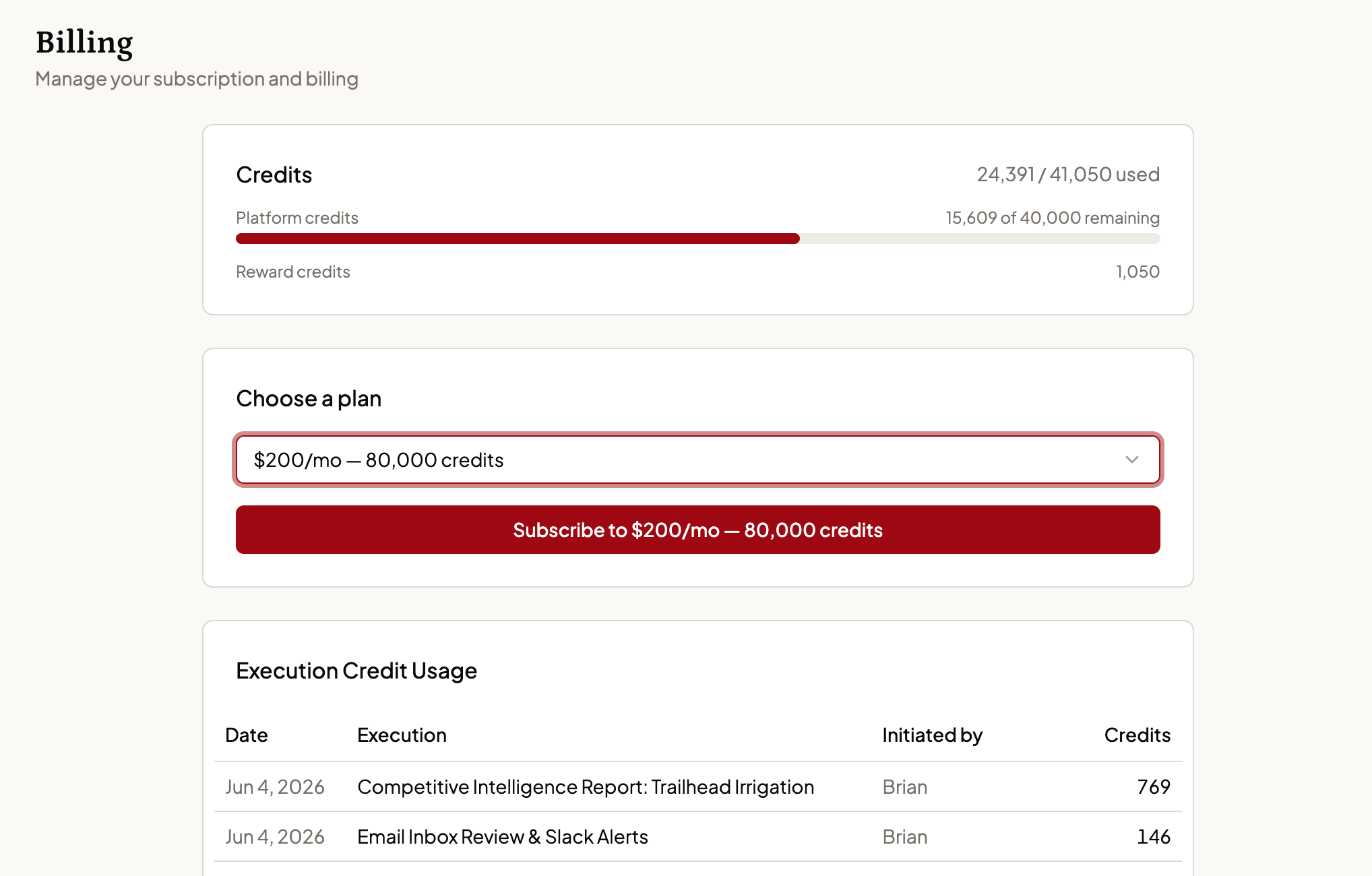 ## Selecting a plan
Choose your monthly cost and credit allocation. You'll proceed through a secure checkout flow - powered by Stripe - to purchase.
## Managing your subscription
Once your payment method is on file, the Billing page allows you to upgrade, manage your subscription, and cancel.
## Canceling your subscription
Click **Manage Subscription** and follow the cancellation steps. Your access continues through the end of the current billing period. There are no cancellation fees.
Questions about your invoice or current usage? Reach out via the **Support** chat on your Dashboard or email [support@appy.ai](mailto:support@appy.ai).
## Selecting a plan
Choose your monthly cost and credit allocation. You'll proceed through a secure checkout flow - powered by Stripe - to purchase.
## Managing your subscription
Once your payment method is on file, the Billing page allows you to upgrade, manage your subscription, and cancel.
## Canceling your subscription
Click **Manage Subscription** and follow the cancellation steps. Your access continues through the end of the current billing period. There are no cancellation fees.
Questions about your invoice or current usage? Reach out via the **Support** chat on your Dashboard or email [support@appy.ai](mailto:support@appy.ai).